If you work with Zebra printers, you already know that ZPL (Zebra Programming Language) is the heart of label automation. But writing, testing, and troubleshooting ZPL manually can be time-consuming — especially when you’re just trying to make sure a barcode or font looks right.
The good news? There’s a growing collection of free ZPL tools that can help you design, preview, and debug your code without installing a single piece of software.
In this article, we’ll review seven of the most reliable free ZPL tools available online today — from lightweight previewers to full-fledged editors.
ZPL.ai — The Modern All-in-One Platform
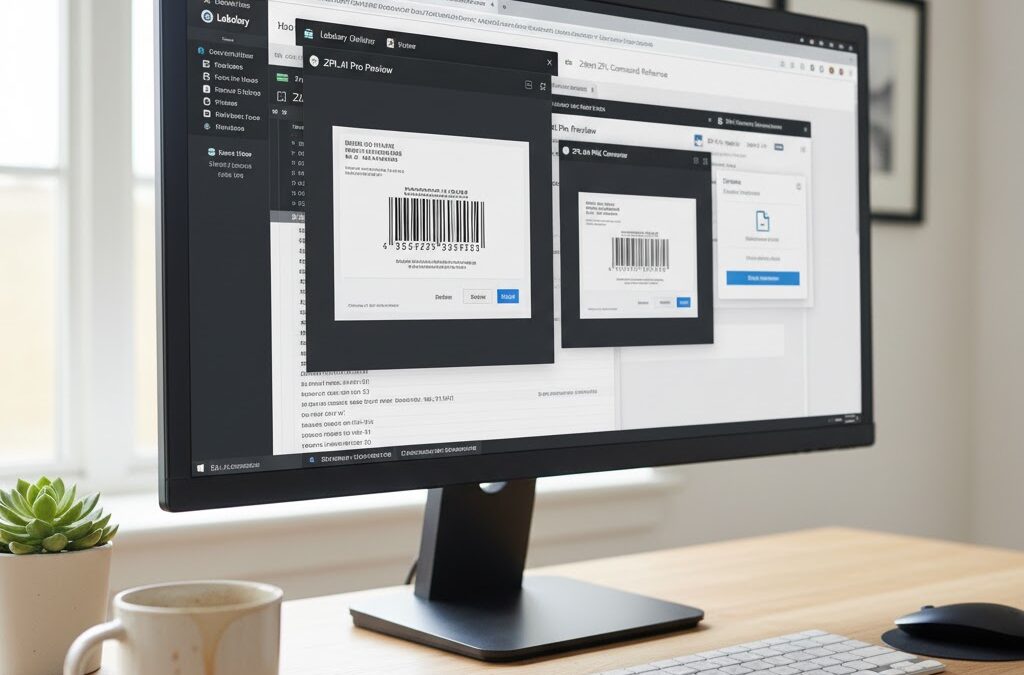
Let’s start with the most advanced of the bunch. ZPL.ai is more than just a viewer — it’s a complete ZPL workspace built for developers, designers, and businesses.
Why it stands out:
- Real-time label rendering in any browser.
- Support for 203, 300, and 600 DPI.
- ZPL-to-PDF conversion and instant label previews.
- Cloud storage and version history for your templates.
- Seamless integration with automation tools like Make and Zapier.
Unlike traditional renderers, ZPL.ai was built with collaboration in mind. Teams can edit labels together, test layouts, and share results directly — all from the cloud.
Best for: Developers, logistics teams, and SaaS companies managing ZPL-based workflows.
Labelary — The Classic ZPL Renderer
Labelary has long been the go-to tool for testing ZPL online.
It’s simple: paste your code, hit “Render,” and get a label image.
Pros:
- Extremely lightweight and fast.
- REST API for programmatic access.
Cons:
- No live editing or cloud saving.
- Limited visualization features compared to newer tools.
Still, if you just need a quick visual check, Labelary remains a solid option.
ZTools (by Zebra Technologies)
Zebra’s official ZTools suite offers PC-based utilities for formatting, font management, and printer configuration.
Though not browser-based, it’s ideal for advanced users who need fine control.
Key utilities include:
- Font Downloader.
- Label Designer.
- Printer setup tools.
It’s slightly dated but still very reliable — especially if you’re maintaining enterprise-grade Zebra printers.
ZPL Designer
ZPL Designer is a Windows application that lets you visually create labels and export them as ZPL code.
You can drag and drop barcodes, text, and shapes directly onto a canvas, which makes it ideal for people who aren’t comfortable writing ZPL manually.
Pros:
- WYSIWYG design interface.
- Easy learning curve.
Cons:
- Windows-only.
- No cloud sync.
Perfect for small companies that just need to generate a few label templates offline.
Online Barcode Generator (Zint)
Sometimes, you only need a quick barcode without building a full label.
Zint Barcode Generator (open-source) supports dozens of barcode types — from Code128 to QR and EAN — and lets you export results directly into ZPL format.
Why it’s useful:
- Free, open-source, and works entirely offline.
- Ideal for batch barcode generation.
NiceLabel Cloud (Free Tier)
NiceLabel is better known for its enterprise labeling platform, but its free tier gives users limited access to a professional-grade designer.
You can build label templates visually and export them as ZPL commands.
It’s not open-source, but it’s a great entry point for teams planning to scale later.
GitHub Projects and Open-Source ZPL Tools
Developers worldwide have contributed several helpful ZPL-related repositories on GitHub.
Some standouts include:
- node-zpl – Node.js library to generate ZPL dynamically.
- python-zpl2 – Build and manipulate ZPL layouts via Python.
- zpl-preview – Lightweight, self-hosted preview app.
For tech-savvy users, these open-source tools allow deep customization and integration into automated pipelines.

Choosing the Right ZPL Tool
If your workflow is simple — occasional label testing or troubleshooting — a quick online viewer like Labelary or ZPL Designer will do.
But if you’re managing multiple printers, teams, or automated workflows, you’ll want something with more power, like ZPL.ai.
Its combination of browser-based convenience, cloud saving, and instant DPI rendering makes it stand out as the next-generation ZPL tool.
Before printing your next batch of labels, run your code through a zpl viewer to catch alignment or encoding issues instantly — saving time, materials, and frustration.